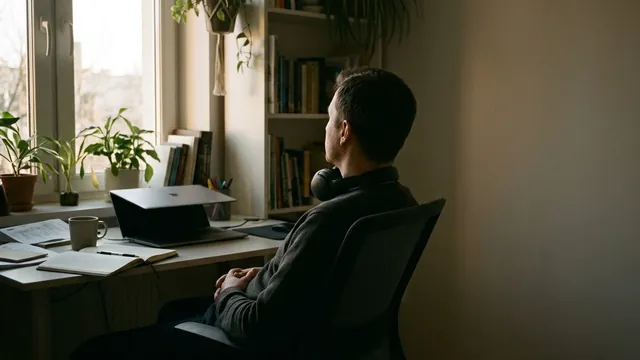
Email apnea: why you hold your breath at a screen

Email apnea is a name for holding your breath, or breathing in short, shallow sips, while you read and type at a screen. Linda Stone, who writes about attention and technology, coined the term from her own informal observations. It is not a medical diagnosis. The answer is simple: notice it, breathe out slowly and take a few easy breaths.
Key points
- Email apnea is holding your breath, or breathing shallowly, while you read and type.
- Linda Stone coined the term from informal observation; it is not a diagnosis.
- To reset, breathe out slowly, then take three breaths: in for 4, out for 6.
- Tie a quick breath check to moments like pressing send or joining a call.
What is email apnea?
Email apnea describes a pause in breathing, or short, shallow breaths, while you work at a screen. Linda Stone coined the name in 2008 and also uses the term "screen apnea". She describes it as stopping breathing for a moment, or breathing shallowly, while working in front of a screen. The idea came from her own informal observation of herself and others, not from a formal study.
Is email apnea real?
Email apnea is a descriptive name, not a diagnosis, and you can check it yourself. The next time you read a tricky email, or wait for a page to load, notice whether your breath pauses or turns shallow. If you notice it, you have found what the name describes. Noticing is the useful part: once you see the pause, a slow out-breath is an easy next step.
How do you stop holding your breath at your desk?
To stop holding your breath at your desk, start with one pause and three slow breaths.
- Notice the signs: your breath has paused, your shoulders are up, your jaw is tight.
- Let the breath out slowly.
- Breathe in gently through your nose for a count of 4.
- Breathe out for a count of 6.
- Repeat for three breaths, about 30 seconds.
- Let your shoulders drop and unclench your jaw, then go back to work.
How can you catch email apnea sooner?
You catch email apnea sooner by tying a breath check to things that already happen in your day.
- Pressing send, joining a call, or waiting for a page to load: any of these can be your cue. A cue is a small signal that reminds you to check your breath.
- Put a note at the edge of your screen.
- Set a breathing reminder a few times a day.
- Take a 30-second breathing exercise between meetings.
When should you stop?
Stop and breathe normally if you feel lightheaded or unwell. If you often feel short of breath, talk to a doctor.
Frequently asked questions
Who coined the term email apnea?
Linda Stone coined the term email apnea and first wrote about it in 2008. She based the name on her own informal observation of herself and others, not on a formal study.
What is screen apnea?
Screen apnea is Linda Stone's other name for email apnea: pausing your breath, or breathing shallowly, while you work in front of a screen. Like email apnea, it is a descriptive name, not a medical diagnosis.
Why do I hold my breath without realizing it?
You may notice it while you concentrate: reading a tricky email, typing fast or waiting for a page to load. The name email apnea describes this pattern; it does not explain a cause. Noticing it and breathing out slowly is a simple first step.
How long does it take to reset your breathing at a screen?
About 30 seconds. Three slow breaths, in through your nose for 4 and out for 6, take about 30 seconds, short enough to do between two emails.
With MeowBreathe

MeowBreatheA breathing reminder app for iPhone, iPad and Mac: a cat companion calls you a few times a day for three slow breaths, paced by sound. No account, no ads.
MeowBreathe is built for this moment. A cat calls you a few times a day with a soft notification, only in your Active hours and never in your Quiet hours, and a tap starts three breaths with Long exhale (in 4, out 6), about 30 seconds. For a longer pause at the desk there is Screen break. Calls and three breaths are free. For the pattern, see long exhale breathing.